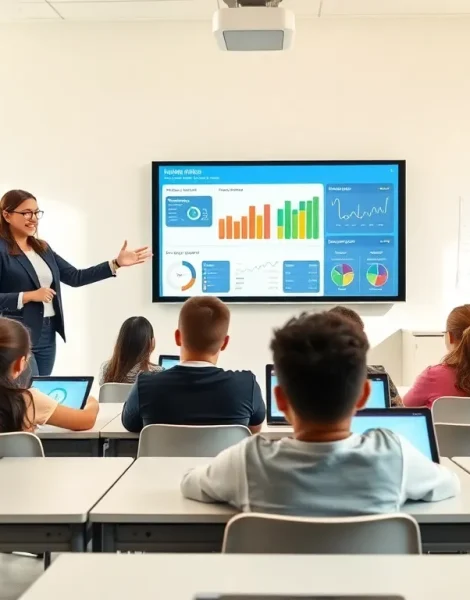
EdTech tips can transform how teachers deliver lessons and how students absorb information. Technology offers powerful opportunities to engage learners, streamline assessments, and personalize instruction. But throwing devices into classrooms without a plan rarely works. The real magic happens when educators integrate technology with purpose. This article covers practical edtech tips that help teachers get more value from digital tools. From setting clear goals to tracking student progress, these strategies ensure technology enhances learning rather than distracts from it.
Table of Contents
ToggleKey Takeaways
- Set clear learning goals before introducing any edtech tool to ensure technology solves specific classroom problems.
- Choose technology that aligns with learning objectives—popularity doesn’t guarantee the right fit for your students.
- Train teachers and students together to build shared understanding and maximize tool effectiveness.
- Balance screen time with traditional teaching methods using blended learning approaches for better engagement.
- Track academic progress and gather regular feedback to evaluate whether edtech tools are actually working.
- Don’t hesitate to discontinue platforms that aren’t delivering results—data and feedback should guide your decisions.
Set Clear Goals Before Implementing New Tools
Every successful edtech implementation starts with a question: What problem does this solve?
Teachers often get excited about new apps, platforms, or devices. That enthusiasm matters. But without clear goals, technology becomes a distraction rather than an asset.
Before introducing any tool, educators should identify specific outcomes they want to achieve. Maybe students struggle with reading comprehension. Perhaps the class needs better collaboration options for group projects. Or attendance tracking takes too much time each morning.
Here’s a simple framework for goal-setting:
- Identify the gap. What’s not working in current instruction?
- Define success. How will improvement be measured?
- Match the tool. Which technology addresses this specific need?
A school in Texas implemented tablets without clear learning objectives. Six months later, teachers reported students spent more time playing games than completing assignments. The tablets sat unused within a year.
Contrast that with a middle school in Ohio. Teachers identified that students needed more practice with math fundamentals. They selected a specific adaptive learning platform, set measurable targets, and tracked progress weekly. Test scores improved by 18% in one semester.
Edtech tips like these prevent wasted budgets and frustrated teachers. Goals give technology direction. They also make it easier to evaluate whether a tool actually works.
Choose Technology That Aligns With Learning Objectives
Not all edtech tools serve the same purpose. Some focus on content delivery. Others emphasize assessment. Many prioritize student collaboration.
The best edtech tips center on alignment. The tool must match what students need to learn.
Consider these categories when selecting technology:
- Content platforms deliver lessons through video, text, or interactive modules.
- Assessment tools track student understanding through quizzes, games, or adaptive testing.
- Communication apps connect teachers, students, and parents.
- Creation software lets students build projects, presentations, or multimedia content.
A high school English teacher wants students to improve persuasive writing. Choosing a flashcard app won’t help. A peer review platform where students critique each other’s essays makes more sense.
Teachers should also evaluate accessibility. Does the tool work on all devices students have? Can students with disabilities use it effectively? Is the interface simple enough for the age group?
Budget matters too. Free tools often lack features schools need. Paid platforms may offer better support and security. Finding the right balance requires research.
One common mistake: selecting technology because it’s popular. Popularity doesn’t guarantee fit. What works at one school may fail at another. Educators should test tools in small pilots before rolling them out to entire classrooms.
Train Educators and Students Together
Technology only works when people know how to use it.
Many schools invest heavily in devices and software but skip training. Teachers receive a quick tutorial. Students figure things out on their own. This approach wastes potential.
Effective edtech tips always include proper training for everyone involved.
Teacher training should cover:
- Basic functionality and features
- Integration with existing lesson plans
- Troubleshooting common problems
- Best practices for classroom management with devices
Student training matters equally. Kids may seem tech-savvy, but using Instagram differs from using educational platforms. Students need guidance on digital citizenship, appropriate use, and specific tool features.
Training sessions work best when teachers and students learn together. This approach creates shared vocabulary. Everyone understands expectations. Teachers see how students interact with the technology in real time.
Ongoing support helps too. One training session isn’t enough. Schools should provide resources like video tutorials, help documents, and access to tech support staff.
A survey by the Consortium for School Networking found that 67% of teachers feel underprepared to use classroom technology effectively. That gap shows in outcomes. When teachers lack confidence, they avoid using tools altogether.
Schools that prioritize continuous professional development see better results. Teachers become more creative with technology integration. Students benefit from more engaging lessons.
Balance Screen Time With Traditional Methods
Technology enhances learning. It doesn’t replace effective teaching.
Some of the most valuable edtech tips involve knowing when to put devices away. Not every lesson needs a screen. Not every activity improves with an app.
Research from the American Academy of Pediatrics suggests excessive screen time can affect attention spans in younger children. Teachers should consider age-appropriate limits.
Blended learning offers a middle ground. This approach combines digital tools with face-to-face instruction. Students might watch a video lesson at home, then discuss concepts in class. Or they complete an online quiz, followed by hands-on group work.
Consider these guidelines for balance:
- Use technology for tasks it does best: repetitive practice, instant feedback, multimedia content.
- Preserve human interaction for discussion, collaboration, and emotional support.
- Schedule tech-free periods throughout the day.
- Encourage physical activities and hands-on projects.
A fourth-grade teacher in California noticed students became restless after extended tablet use. She introduced 20-minute “analog breaks” featuring puzzles, art projects, and outdoor time. Student focus improved during subsequent screen-based activities.
Balance also prevents over-reliance on any single tool. If a platform goes down or a device breaks, class shouldn’t grind to a halt. Teachers need backup plans that don’t depend on technology.
Track Progress and Gather Feedback Regularly
Measuring results separates successful edtech implementation from guesswork.
Teachers should track both academic outcomes and user experience. Did test scores improve? Are students more engaged? Do teachers find the tool helpful or frustrating?
Many edtech platforms include built-in analytics. These dashboards show which students struggle, how much time they spend on tasks, and where they excel. Teachers can use this data to adjust instruction.
But numbers don’t tell the whole story. Feedback from students and teachers provides context.
Useful feedback questions include:
- What do you like about this tool?
- What frustrates you?
- Does this help you learn better than previous methods?
- What would make this work better for you?
Schools should gather feedback at regular intervals, not just at the end of a semester. Monthly check-ins allow for adjustments while implementation is still fresh.
Edtech tips like this one prevent schools from sticking with tools that don’t work. Sometimes the best decision is to discontinue a platform. Data and feedback make that choice clearer.
A district in Florida surveyed teachers quarterly about their learning management system. Feedback revealed that the gradebook feature was clunky and time-consuming. The district switched providers the following year. Teacher satisfaction improved significantly.